
Shop

Products

MSQ-700P

S/PDIF / Toslink Optical Digital Audio 1×3 Splitter

$16.99

BUY IT NOW ON AMAZON
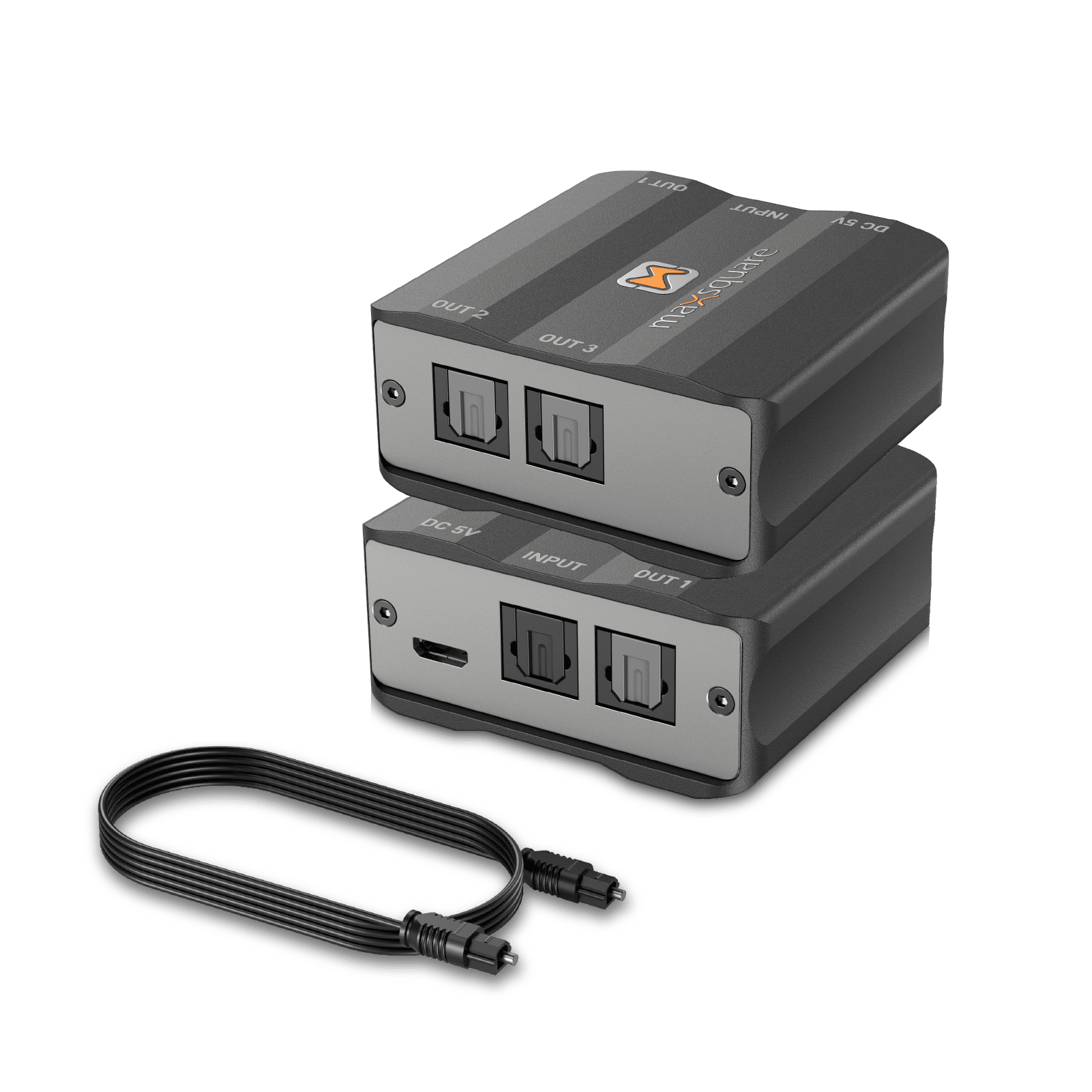
  • ⚡【1 in 3 out Optical Splitter】With the attached toslink cable, you’re allowed to split one audio source into three sets of digital signal receiving devices like Soundbar, Bluetooth Adapter, A/V receiver, and so on.
  • ⚡【Various Audio Formats】S/PDIF audio supports Dolby-5.1ch, LPCM, AC3, DTS (up to 24 bits; sample rate up to 192KHz) *Dolby-7.1ch does not support fiber cable transmission.*
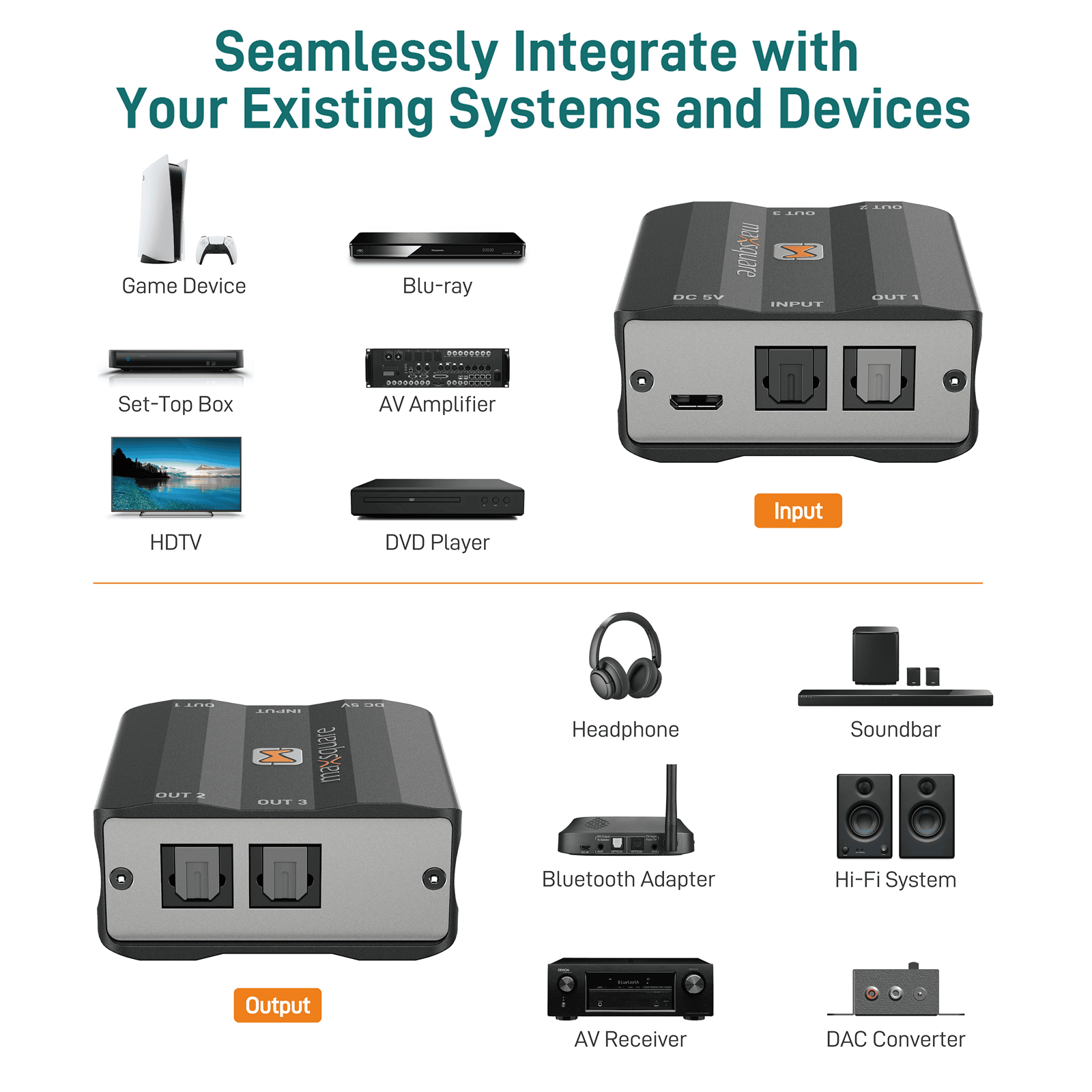
  • ⚡【Wide Compatiability】 Compatible with HDTV, Set-Top Box, PlayStation, Xbox, VCR, Blu-Ray DVD Players, AV Amplifier, Video Home System Devices, etc.
  • ⚡【Exquisite Aluminum Case】Made of whole aluminum CNC alloy, the case is solid, exquisite while being light-weight feature.
  • ⚡【Superior Quality and Customer Service】 Made in Taiwan(TAA Compliant). All maxsquare products are CE/FCC/RoHS certified. Also, we provide free lifetime technical support and a one year warranty for each item you buy. Please check the user manual for further technical support.
maxsquare MSQ-700P S/PDIF / Toslink Optical Digital Audio 1×3 Splitter

The MSQ-700P S/PDIF / Toslink Optical Digital Audio 1×3 Splitter is the ideal component for any home entertainment system to duplicate digital TOSLINK S/PDIF input, and it makes it simple to have 3 identical S/PDIF through commonly used TOSLINK connectors. Digital signals can maintain their integrity for three digital outputs without any signal loss with the built-in amplifier.

FEATURES / SPECIFICATION
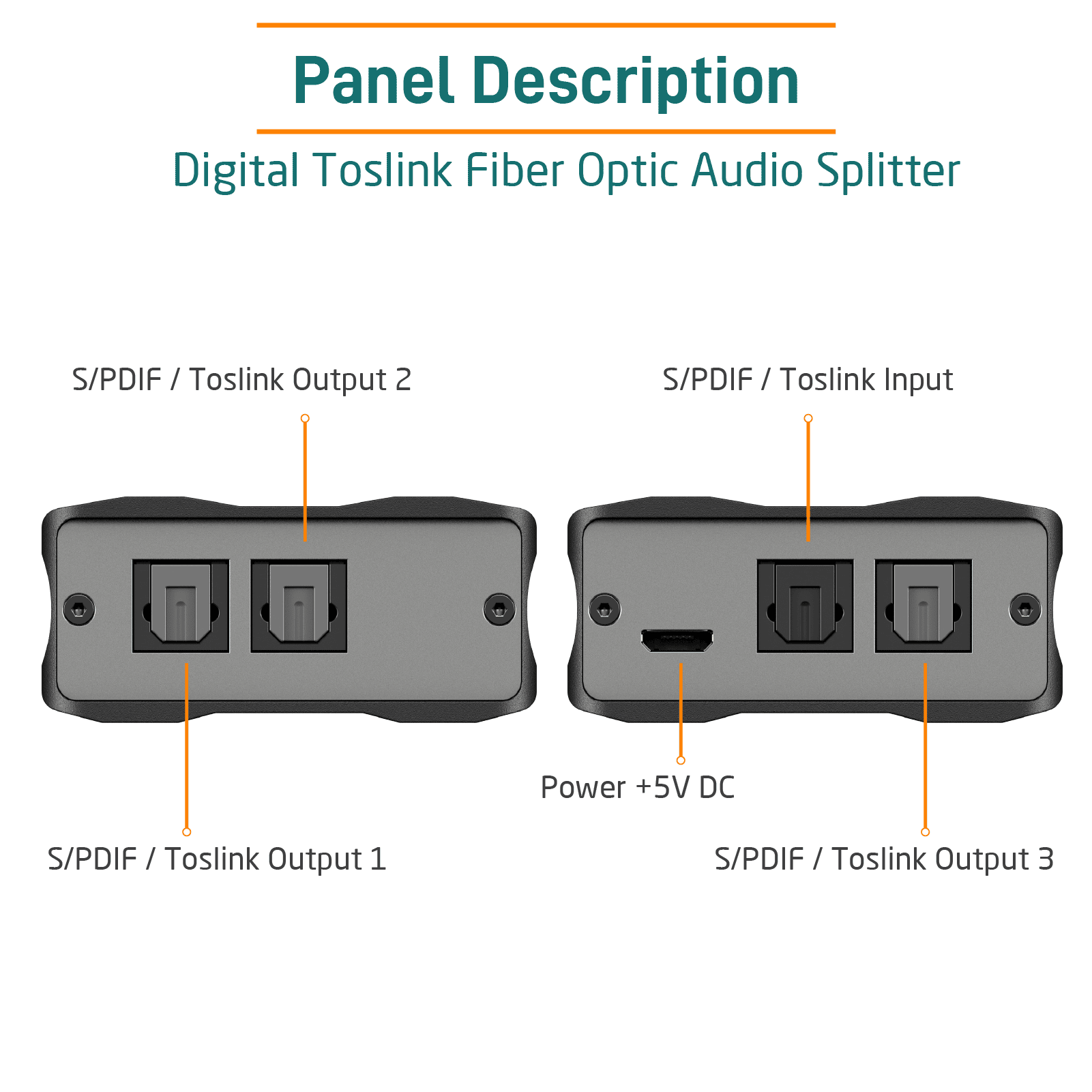
  • One input / Three outputs Toslink S/PDIF audio splitter
  • S/PDIF audio supports LPCM, AC3, DTS (bit depth up to 24 bits; sample rate up to 192KHz)
  • Compatible with STB/ PlayStation/ Xbox/ VHS/ VCR/ Blue-Ray DVD Players / HDTV/ AV Amplifier
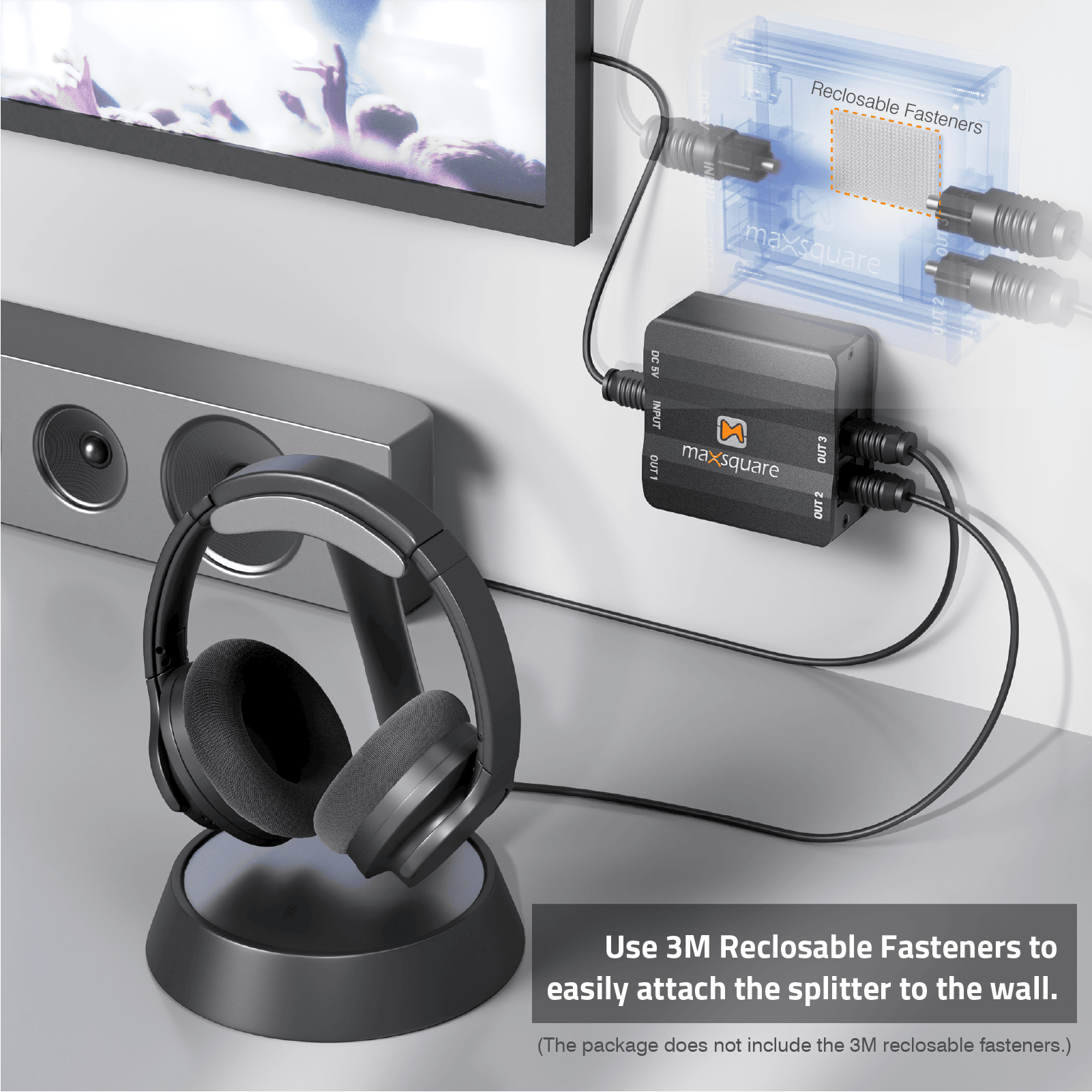
  • Easy to installation
  • Aluminum Case
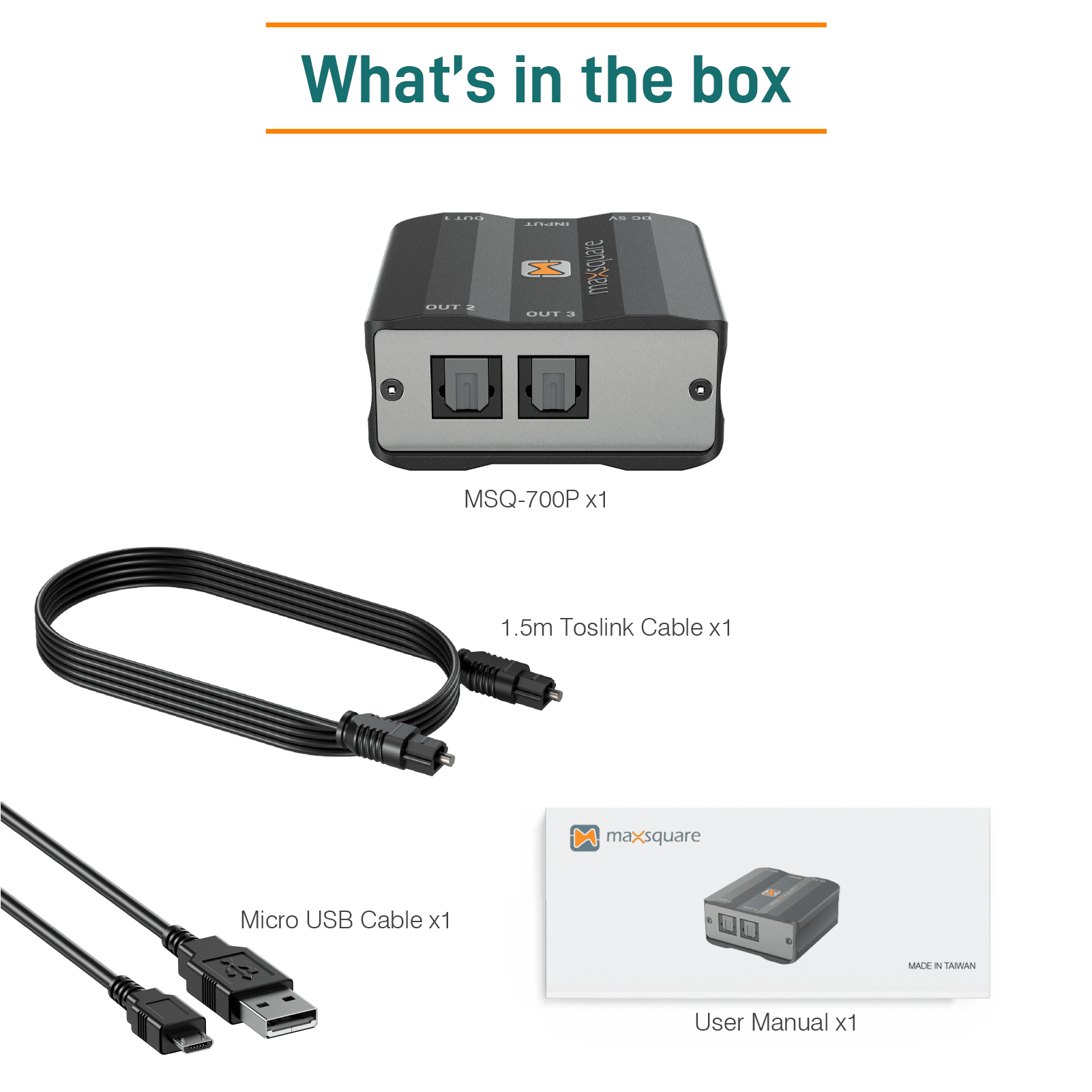
What's in the box
  • MSQ-700P x1
  • Micro USB Cable x1
  • 1.5m Toslink Cable (Optical Cable) x1
  • User Manual x1
Set Up Instructions

1.) Connect the supplied USB cable to the “DC 5V” jack.
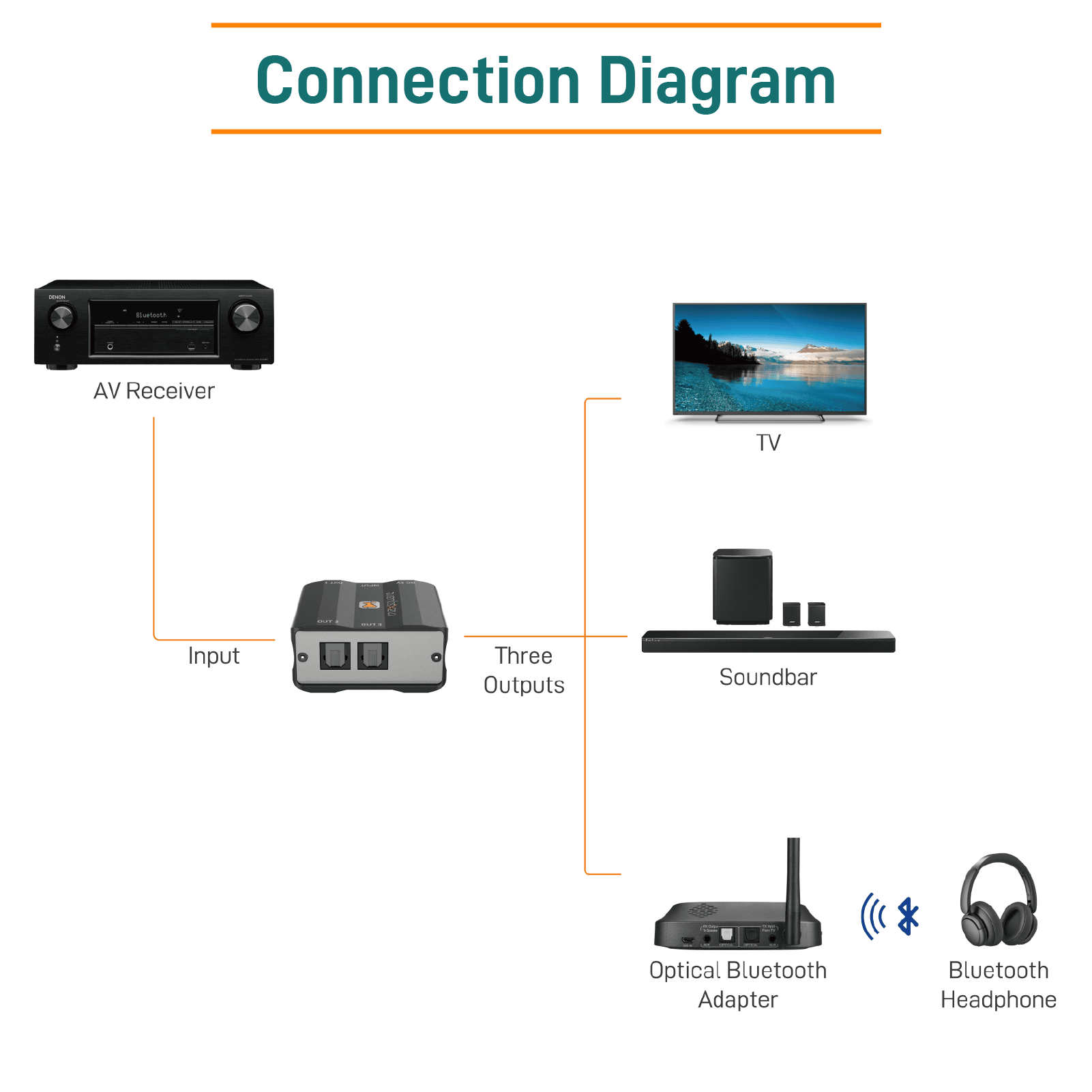
2.) Connect the output of your audio signal source (TV, Blu-ray Player, Playstation, etc.) to the optical input (labeled “INPUT”) using the supplied TOSLINK optical cable.
3.) Connect “OUT 1” to the TOSLINK port on the AV receiver using your own TOSLINK cable.
4.) Connect “OUT 2” to the TOSLINK port on the soundbar using your own TOSLINK cable.
5.) Connect “OUT 3” to the TOSLINK port on the Optical Bluetooth Adapter.
6.) Your TOSLINK Splitter is now ready to work.

(* The audio sink devices shown above are examples.*)

Application Scenarios
  • This product can transmit digital audio signals: Dolby-5.1ch, LPCM, AC3, DTS
  • Suitable for a wide range of application situations.
  • Simple to set up and use.

*Please note that Dolby-7.1ch does not support fiber cable transmission.*

Item Weight

3.84 ounces

Product Dimensions

1.9 x 1.9 x 0.9 inches

Country of Origin

Taiwan

購物車
Scroll to Top

CUSTOMER SUPPORT

Our website uses cookies to give you the best experience.
For more details about the cookies we use, check out our Privacy Policy.